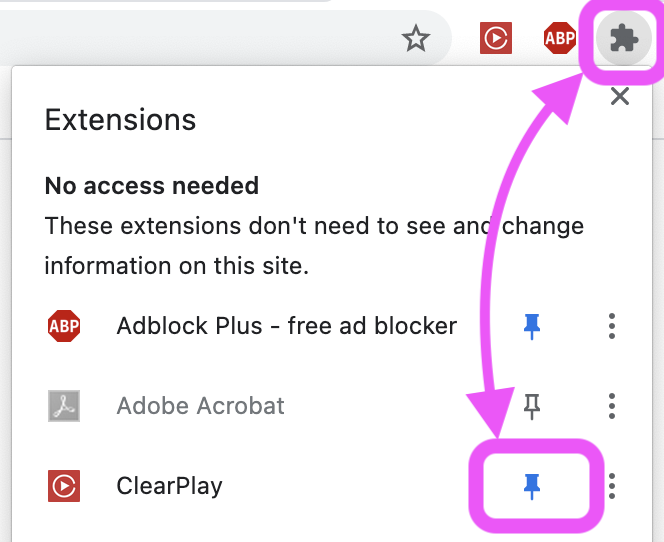
Pin our extension icon to keep it visible in your Google Chrome toolbar.
1. Click the puzzle-piece icon in the upper-right corner of Chrome.
2. Find Clearplay in the Extensions list.
3. Click the pushpin next to Clearplay. A blue pushpin means the icon is pinned.
Our red extension icon will appear in the toolbar, near the puzzle-piece icon.